
TAAZA UPDATE
👑 BHAROSEMAND: TatkalHub is India's No.1 trusted Tatkal software platform. | 🎓 FREE TRAINING: Dashboard me training videos, step-by-step guidance, and blog access available hai. | INSTANT INSTALL: Order confirm hote hi team fast installation and delivery support deti hai. | 💳 AUTO PURCHASE: Money upload karo, order place karo, and within a minute software delivery flow start ho jata hai. | 📣 TRANSPARENT PRICING: Software list me visible prices diye gaye hain for better trust and faster decisions. | 🎫 QUICK SUPPORT: Issue/Complaint/Suggestion ke liye Support Ticket aur Help Center available hai. | ⬇️ DOWNLOAD PORTAL: Official downloads ke liye tatkalhub.xyz use karein.
Desh-Pasand Data Software Limited Time Deal Live

PROMAX Modern Tatkal software built for fast booking confidence

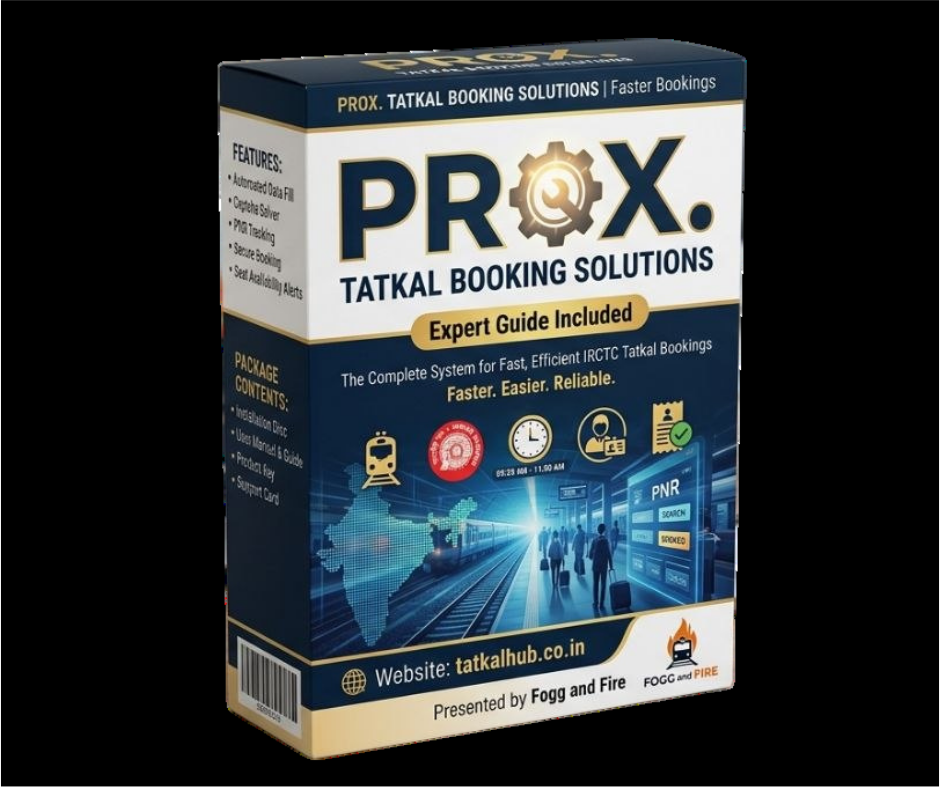
PROMAX is a clean and stylish Tatkal product page for agents who want a practical flow with web login, token-based app login, free training, instant installation, quick support, secure operation, and 1 month validity.

TatkalHub gives PROMAX users a smoother onboarding experience with official download access, step-by-step installation guidance, video instructions, and trusted support channels from the first day.
Onboarding
Free Training
Easy first-time guidance with clean support from TatkalHub experts.
Delivery
Instant Installation
Fast setup support after purchase so the software gets ready quickly.
Validity
1 Month Access
Practical validity window with support and download guidance included.
PROMAX Control Overview Mobile Friendly Layout
PROMAX preview banner
Web login based flow
Fast practical setup for users who prefer web-based readiness.
Token-based app login
Flexible app-assisted login support for faster booking access.
Support-first delivery
Quick help, training, and direct guidance built into the page flow.
Secure and simple
Designed to feel clean, reliable, and comfortable even on mobile.
Official Download Area

Download PROMAX right after the hero section

This fast action area is built for users who already know what they need. Open the official download portal, get installation help, and move directly into setup without wasting time.

Free training included
Learn the product with dashboard videos and guided help.
Instant installation help
TatkalHub team helps you move from download to setup quickly.
Quick support
Fast contact options stay available through official channels.
Mobile-comfortable flow
The page stays readable and clickable on smaller screens too.
PROMAX Feature Stack

Modern features presented in clean creative cards

PROMAX keeps the design modern and the explanation simple, so users can quickly understand what they are getting before they buy or download.

Web Login Based

PROMAX supports a web-login-first experience for users who want a familiar booking flow and stable preparation.

Token Based App Login

Use the app login flow when needed and keep the process more flexible for real booking situations.

Free Training

TatkalHub gives practical training support so even a new user can feel more confident during setup.

Instant Installation

After purchase, users can move faster because the installation help is designed to start without delay.

Quick Support

Support channels, callback options, Signal, Telegram, and WhatsApp stay ready for faster issue handling.

Secure Operation

PROMAX is presented as a clean and secure option so the overall buying experience feels more trusted.

1 Month Validity

The page clearly communicates the practical monthly access cycle for users making quick decisions.

100% Mobile Comfortable

From hero to pricing and guides, the entire page is designed to stack cleanly for mobile visitors.

Limited Time Deal

PROMAX pricing with clear trust-first presentation

The offer keeps the original price visible, highlights the new deal clearly, and gives users a fast path to purchase or download.

Hot Deal Download + Training Ready

PROMAX monthly access at a sharper deal price

This pricing block keeps the offer simple: strong software value, instant installation guidance, official support channels, and fast action buttons.

₹2000
₹1400
/ 1 Month Validity
What is included
Web login, token app login, free training, instant installation, quick support, and official video instructions.
Why this section converts
The page shows the old and new price together, making trust and urgency visible at the same time.
Quick purchase flow

Get PROMAX with the same trusted TatkalHub support style

Step 1. Open the download portal or Signal purchase flow
Choose the path that suits you best and move into the official TatkalHub flow.
Step 2. Get installation and training guidance
The page pushes users toward support-first onboarding instead of leaving them confused.
Step 3. Start setup and book with confidence
After purchase, the user is guided toward download, install, and video help immediately.
Install Guide Video

PROMAX installation video with instruction support

Watch the setup flow, understand the software direction, and then use the download button placed right inside the guide area.

Video Instructions

Step-by-step installation guidance

Step 1. Open the official download portal
Get the PROMAX file from the official TatkalHub source only.
Step 2. Watch the installation video once
The video area is added so the user can understand the flow before clicking randomly.
Step 3. Complete setup with support if needed
Use TatkalHub guidance for smoother configuration, login, and activation steps.
Step 4. Keep the page handy for defender and firewall steps
The next section keeps both setup safety instructions in one clean place.
Security Setup Guides

Turn off Defender and Firewall with clear step cards

This section gives first-time users a simpler visual path for Windows settings before installation.

Windows Defender

Turn off Defender step by step

Step 1. Open Windows Security
Search for Windows Security from the Start menu and open it.
Step 2. Go to Virus & threat protection
Open the protection settings area where real-time protection is available.
Step 3. Open Manage settings
Find the switch for real-time protection and turn it off carefully.
Step 4. Install PROMAX and re-enable later if required
Use this only for installation setup and follow TatkalHub guidance if needed.
Windows Firewall

Turn off Firewall step by step

Step 1. Open Control Panel or search Firewall
Go to Windows Defender Firewall from system settings.
Step 2. Click Turn Windows Defender Firewall on or off
This option is available from the left-side firewall menu.
Step 3. Disable for current setup stage
Turn it off for private and public networks only if your setup guide needs it.
Step 4. Continue installation and save settings carefully
Once the install is done, keep your system safety decisions under your control.